Elysium
- 1a place of perfect ease; where life finally rests easy.
- 2a home that takes care of its own.
It notices the room gone dark, the house gone quiet, the evening drawing in. And it acts, before you ask.
See Elysium in motion.
One evening at home: a single request, and the house does the rest.
The intelligence lives where you do.
Out of the box, Elysium runs in Sovereign mode. Its mind lives on a hub on your own network, inside your house, and nothing it learns leaves the house. Pull the internet cable, and your home still answers. And you don't have to take our word for it.
egress self-test · Sovereign · fails if a service holds an outside connectionHow the hub ships. Each part below runs on the hub in your home.
- Wake word
- On the hub
- Speech
- On the hub, which transcribes what you say and speaks its replies
- Reasoning
- An open-weight model on the hub
- Memory and identity
- On the hub, with sign-in that works offline
- Device control
- On the hub
- Camera
- Video stays on the hub. Camera support is in development.
The owner's opt-in, for a larger model. Each resident can then choose a cloud model.
- Wake word
- On the hub
- Speech
- Processed on the hub. If the owner turns them on, cloud services receive the audio of requests the hub has recognised, the text of its spoken replies and, for a few seconds after a reply, the text of what it hears.
- Reasoning
- The model each resident chooses: a cloud model, or the hub's own. Requests spoken to the hub follow the choice of one resident, whoever speaks.
- Memory and identity
- Stored on the hub, with your local login. The owner can also sign in with a linked cloud account. Memories chosen for a request are sent with it.
- Device control
- On the hub
- Camera
- Video stays on the hub. Camera support is in development.
What Hybrid sends to cloud services, and what stays on the hub
The hub's own list, word for word. The dashboard shows it before the owner switches to Hybrid.
Sent to cloud services in Hybrid
With each request
- Your message or the transcript of your spoken request, with the recent messages of that conversation
- Memories chosen for the request, yours and the household's
- The rooms and devices, with each device's current state
- House instructions and open goals your household has set
- What the Butler's tools send and return, such as device readings, reminders, calendar entries, emails and web pages it reads, and earlier conversations it looks up
- Your display name and preferred reply style
- The short bio in your profile, if you wrote one
- The current time and the home's time zone
- Each request spoken to the hub, whoever speaks, with the memories and profile of the resident the hub files it under, when that resident picked a cloud model
In the background
- Conversation text, to write each conversation's title and summary
- Each reply that changed something in the home, with a record of the Butler's tool calls, to check the reply against what was done
- A typed or spoken request whose OpenAI model fails before it starts to answer, because OpenAI is out of quota, refuses the key or cannot be reached, to Anthropic's Claude Sonnet 4.6 instead, when the hub also has an Anthropic key
Only if turned on for the hub
- The audio of requests spoken to the Butler, when cloud speech recognition is on
- The text of each spoken reply, when cloud speech synthesis is on
- For a few seconds after a spoken reply, the text of what the hub hears, with your last request and the reply, when cloud follow-up detection is on
- Each spoken request and what is sent with it, to a fast cloud model that tries to answer first, when the fast model for spoken requests is on
- Each exchange, with your saved memories, to pick out facts worth remembering, when memory extraction uses a cloud model
- Memory text and request text, to find memories by meaning, when semantic memory search uses a cloud embedder
- The night's device changes, alerts and reminders, to write the morning summary, when any adult in the household turns it on
Stays on the hub, in Sovereign and in Hybrid
- The wake-word check, and room audio until the hub recognises a request
- Camera video
- Device commands, which run on this box
- Your local login and password
- Everything else in the memory store and message history
Everything listed travels over TLS. How long a provider keeps it is set by that provider's terms.
Hosted by us, for households without a capable hub. The early-access app runs in Cloud.
- Wake word
- None. The app listens only while you use its microphone button.
- Speech
- The app shows a microphone button only in some browsers, such as recent versions of Safari. If you use it, your browser turns your speech into text, which can happen on its maker's servers. We receive only the text.
- Reasoning
- A cloud model: Anthropic's, or OpenAI's if you choose one
- Memory and identity
- Your Elysium account, with your household's data kept with us in Zürich. Memories chosen for a request are sent with it.
- Device control
- The hosted app runs no device controller. Only a hub in the home carries out commands.
- Camera
- Raw video does not leave the home.
The owner can switch back to Sovereign without a password, and it takes effect from the next request. Switching to Hybrid in the dashboard asks the owner for their local password and records when they accepted the Hybrid list. Appliance units ship locked to Sovereign.
It knows its family, and keeps what it learns on your hub.
Elysium learns your household the way a good butler does: who lives here, what each person prefers, the difference between you and a guest. It gives you your morning, and hands a visitor the lights and nothing of your private world. That recognition stays in the house, and it stays yours.
The lights, saved scenes, her own reminders and memories. She can't set the heating herself or make a standing rule.
Ada · 12: Turn the heating up to 22°C
Declined openly
Nothing changes. The Butler tells Ada it can't change the heating for her, and offers what it can do or suggests she ask someone in the household.
How it knows who is asking today: residents sign in with their own account or enter their PIN at a wall panel, and a guest types a 6-digit code that expires. At the hub, spoken requests count as the resident chosen at setup; telling voices apart is a later phase.
A mind you can read.
When Elysium acts, it can tell you why, and you can see each step it took in the app. It asks when it needs to and tells you what it can't do. When it changes a light or the heating, it checks with your home whether the command was carried out and reads the device back before it calls the job done. For a colour change, the reading confirms only that the light is on. Scenes and timed light sequences aren't checked yet.
Already on
- Heard
Hey home, can you turn on the living room light? It's kinda dark in here.
A child in the simulated household
Why?
The simulator's residents talk to The Butler through its chat. Their words are shown as recorded.
- Checked
The home's state, which comes with every request, showed the living room light already on, at 80%.
Why?
The home had switched it on a moment earlier, when the room's motion sensor found someone in the dark. That was command 2 in the light's queue.
- Chose
Brighten it to 100% instead of switching it on.
Why?
The light was on and the room still felt dark, so brightness was the change to make. In its words:
The Living Room Light is already on at 80% — let me brighten it up for you.
- Receipt
The home queued one command and gave it a receipt: number 3 in the light's queue.
Why?
The home answers as soon as a command joins the queue, before the device has done anything. The receipt lets The Butler follow that one command until it settles.
- Outcome
RecordedThe command settled as recorded state, and a fresh reading showed the light on, at 100%.
Why?
This simulated home has no physical devices, so a command settles as the home's recorded state. The check then tells The Butler to say the setting was made and to claim no device confirmation. What the check wrote, with its timing removed:
Recorded (projected): no physical executor is bound to this home, so the command settled as recorded state; Living Room Light read on 100%. Say it was set, not that a device confirmed it.
How an outcome is graded
Done, strongest first
- Confirmed
- the device's own report reached the command
- Acknowledged
- the home's driver ran it, with no device report yet
- Recorded · this turn
- the home recorded the setting, and no device has reported it
Not done
- Still queued
- sent, and still waiting in the queue
- Not performed
- the home refused it and gave the reason
- Not verified
- it did not read back as asked, so it counts as not done
- Not sent
- no command reached the home, so nothing changed
- Said
Done — Living Room Light is up to 100%. That should chase the dark away.
Why?
The reply says what was set and claims no confirmation from a device.
From the simulator: run 36306283608, 27 Sep 2026, simulated day 1.
The recording
Discovery run discovery_20260927T083555Z_day1, conversation 4, turn 1, product version 54ae7b3d. Checksum of the recorded conversation: 02924a278ba0f63544ec7acd904358a7288b74e77af9cedb8d8cd32465678964.
Purple and blue
- Heard
Can I get some colourful lights in here? Like maybe purple and blue? It's still pretty dark outside and I wanna play but it's a bit gloomy.
A child in the simulated household
Why?
The simulator's residents talk to The Butler through its chat. Their words are shown as recorded.
- Checked
Which lights could show the colours: the living room has one ceiling light.
Why?
Its reply names the room, and the simulator places the child there. The home's device list, which comes with every request, holds one light in that room.
You're in the living room.
- Chose
One colour for the one light: purple, with an offer to switch to blue.
Why?
Two colours need two lights, so it chose one and said why:
There's only the one ceiling light in the living room, so I couldn't split purple and blue across two fixtures.
- Receipt
The home queued one command and gave it a receipt: number 6 in the light's queue.
Why?
The home answers as soon as a command joins the queue, before the device has done anything. The receipt lets The Butler follow that one command until it settles.
- Outcome
RecordedThe command settled as recorded state, and a fresh reading showed the light on.
Why?
Colour readings are lossy, so after a colour or colour-temperature command the check only asks that the light is on.
This simulated home has no physical devices, so a command settles as the home's recorded state. The check then tells The Butler to say the setting was made and to claim no device confirmation. What the check wrote, with its timing removed:
Recorded (projected): no physical executor is bound to this home, so the command settled as recorded state; Ceiling Light read on. Say it was set, not that a device confirmed it.
How an outcome is graded
Done, strongest first
- Confirmed
- the device's own report reached the command
- Acknowledged
- the home's driver ran it, with no device report yet
- Recorded · this turn
- the home recorded the setting, and no device has reported it
Not done
- Still queued
- sent, and still waiting in the queue
- Not performed
- the home refused it and gave the reason
- Not verified
- it did not read back as asked, so it counts as not done
- Not sent
- no command reached the home, so nothing changed
- Said
Done — the ceiling light is now a rich purple at full brightness. There's only the one ceiling light in the living room, so I couldn't split purple and blue across two fixtures. Want me to switch it to blue instead, or leave it purple?
Why?
The reply says what was set and claims no confirmation from a device.
From the simulator: run 34368479313, 9 Sep 2026, simulated day 1.
The recording
Discovery run discovery_20260909T151634Z, conversation 28, turn 1, product version 970b21f1. Checksum of the recorded conversation: b428aab4378fa957b3ec589ff89564d2d5476296efa84f5dcfca5e728b645284.
A warm 30%
- Heard
Set the living room light to a warm 30% for the evening.
An adult in the simulated household
Why?
The simulator's residents talk to The Butler through its chat. Their words are shown as recorded.
- Chose
Two settings, so two commands: brightness to 30%, then warm white at 2700 K.
Why?
The request names a tone and a brightness, and each is a separate command to the light.
- Receipt
Two commands, two receipts: numbers 1 and 2 in the light's queue.
Why?
The home answers as soon as a command joins the queue, before the device has done anything. The receipt lets The Butler follow that one command until it settles.
- Outcome
RecordedBoth commands settled as recorded state, and a fresh reading showed the light on, at 30%.
Why?
Colour readings are lossy, so after a colour or colour-temperature command the check only asks that the light is on.
This simulated home has no physical devices, so a command settles as the home's recorded state. The check then tells The Butler to say the setting was made and to claim no device confirmation. What the check wrote, with its timing removed:
Recorded (projected): no physical executor is bound to this home, so the command settled as recorded state; Living Room Light read on 30%. Say it was set, not that a device confirmed it.
Recorded (projected): no physical executor is bound to this home, so the command settled as recorded state; Living Room Light read on. Say it was set, not that a device confirmed it.
How an outcome is graded
Done, strongest first
- Confirmed
- the device's own report reached the command
- Acknowledged
- the home's driver ran it, with no device report yet
- Recorded · this turn
- the home recorded the setting, and no device has reported it
Not done
- Still queued
- sent, and still waiting in the queue
- Not performed
- the home refused it and gave the reason
- Not verified
- it did not read back as asked, so it counts as not done
- Not sent
- no command reached the home, so nothing changed
- Said
Done — living room light set to warm white (2700K) at 30%.
Why?
The reply says what was set and claims no confirmation from a device.
From the simulator: run 35576284560, 21 Sep 2026, simulated day 1.
The recording
Discovery run discovery_20260921T081412Z_day1, conversation 15, turn 1, product version 54ae7b3d. Checksum of the recorded conversation: a972d97140e9f3297cbb5132e21dfc3aef6c9cee36bf13ea66b74cd111484f32.
No thermostat
- Heard
Set the bedroom thermostat to 19 degrees for the evening, please.
An adult in the simulated household
Why?
The simulator's residents talk to The Butler through its chat. Their words are shown as recorded.
- Chose
Ask first: 19 °C just now, or every evening?
Why?
The request could mean tonight or every evening, and every evening would be a standing preference, which the home keeps differently. Its reply:
I can set the Bedroom to 19°C now, but to hold it only in the evenings I'd save it as a standing preference. Which would you like — just now, or every evening from now on?
- Heard
Just set it to 19 now, then.
An adult in the simulated household
Why?
The simulator's residents talk to The Butler through its chat. Their words are shown as recorded.
- Checked
Which device could set it: the bedroom has no thermostat or other climate device.
Why?
Setting a temperature starts by finding the room's climate device. The result, as recorded:
There's no thermostat or climate device in Bedroom to adjust.
- Receipt
No receipt: there was no device to send a command to.
Why?
A receipt exists only for a command the home has queued, and nothing was queued here.
- Outcome
Not verifiedNothing was set. With no device to read back, the check graded the request “Not verified”, which counts as not done.
Why?
With nothing to read back, the check counts the request as not done. The line it wrote:
Not verified: the target device could not be read back, so treat this as sent, not done.
How an outcome is graded
Done, strongest first
- Confirmed
- the device's own report reached the command
- Acknowledged
- the home's driver ran it, with no device report yet
- Recorded
- the home recorded the setting, and no device has reported it
Not done
- Still queued
- sent, and still waiting in the queue
- Not performed
- the home refused it and gave the reason
- Not verified · this turn
- it did not read back as asked, so it counts as not done
- Not sent
- no command reached the home, so nothing changed
- Said
There's no thermostat or climate device in the Bedroom, so I couldn't set the temperature. If you'd like, I can take the chill off with the Bedroom light's warmth instead.
Why?
It says what was not done and why, and offers what the room can do instead.
From the simulator: run 38106725248, 11 Oct 2026, simulated day 2.
The recording
Discovery run discovery_20261011T030315Z_day2, conversation 37, turn 1, 2, product version 504b4c59. Checksum of the recorded conversation: 4bcfccdc59a1d45e458c75dcf36a89fe821faae92f7eff9f15d6d511e2e0fde9.
Each replay is a turn the real product took, recorded by our household simulator while it lived a simulated day. The residents are synthetic and the simulated homes have no physical devices, so these replays show the “Recorded” grade at best. Only a device's own report earns “Confirmed”.
Always attentive.
Never intrusive.
The Bar is the device on your wall. It hears you across the room and chimes the moment it hears its name. The rest of the time it stays quiet.
Learn more →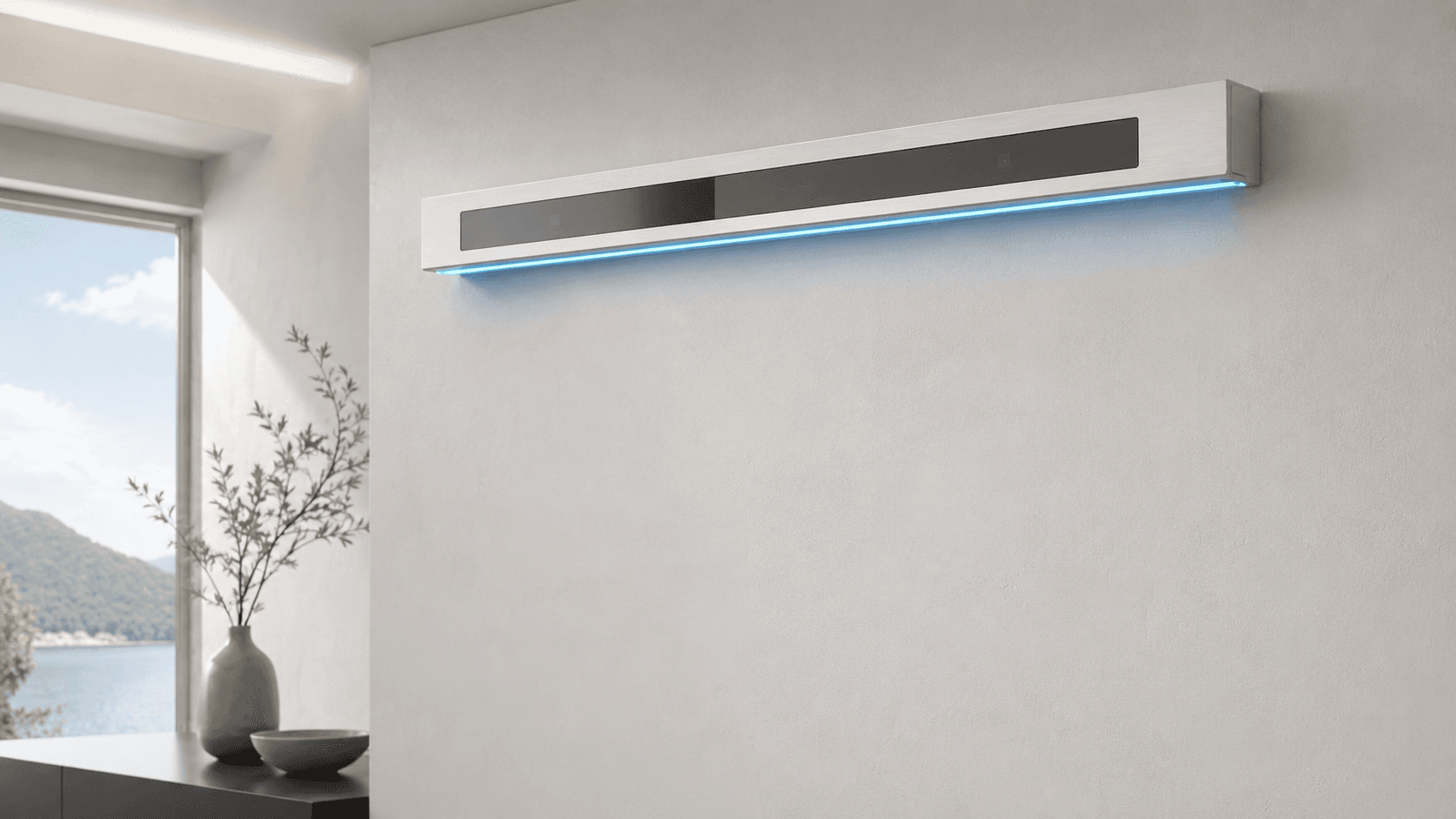
Your house has an opinion now.
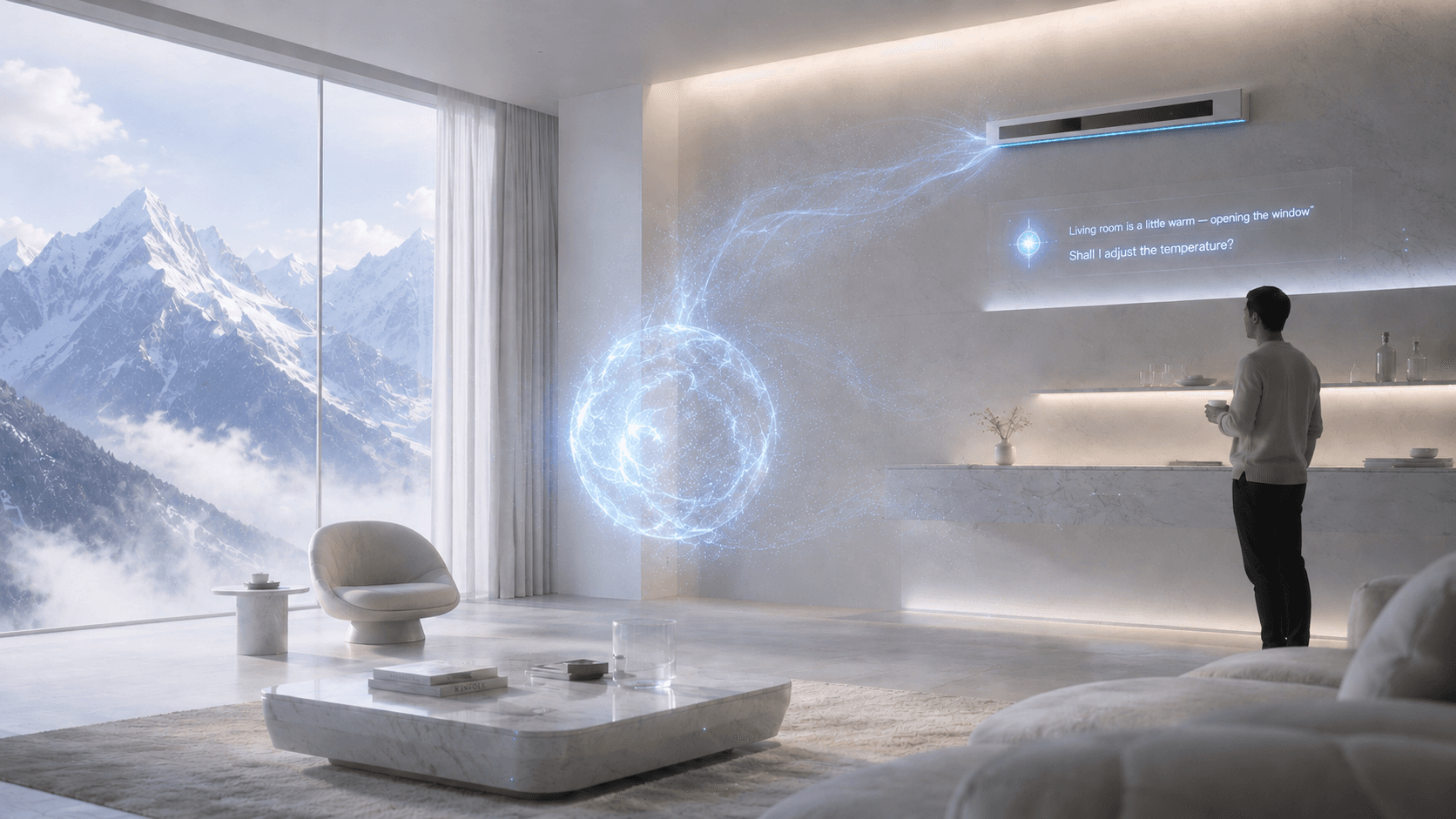
The Butler is the agent inside Elysium, running on our own agent runtime. It reasons about your home (lights, climate, who's around) and decides what to do next. When it changes a light or the heating, it checks the result with your home before it calls the job done. Scenes and timed light sequences aren't checked yet.
Learn more →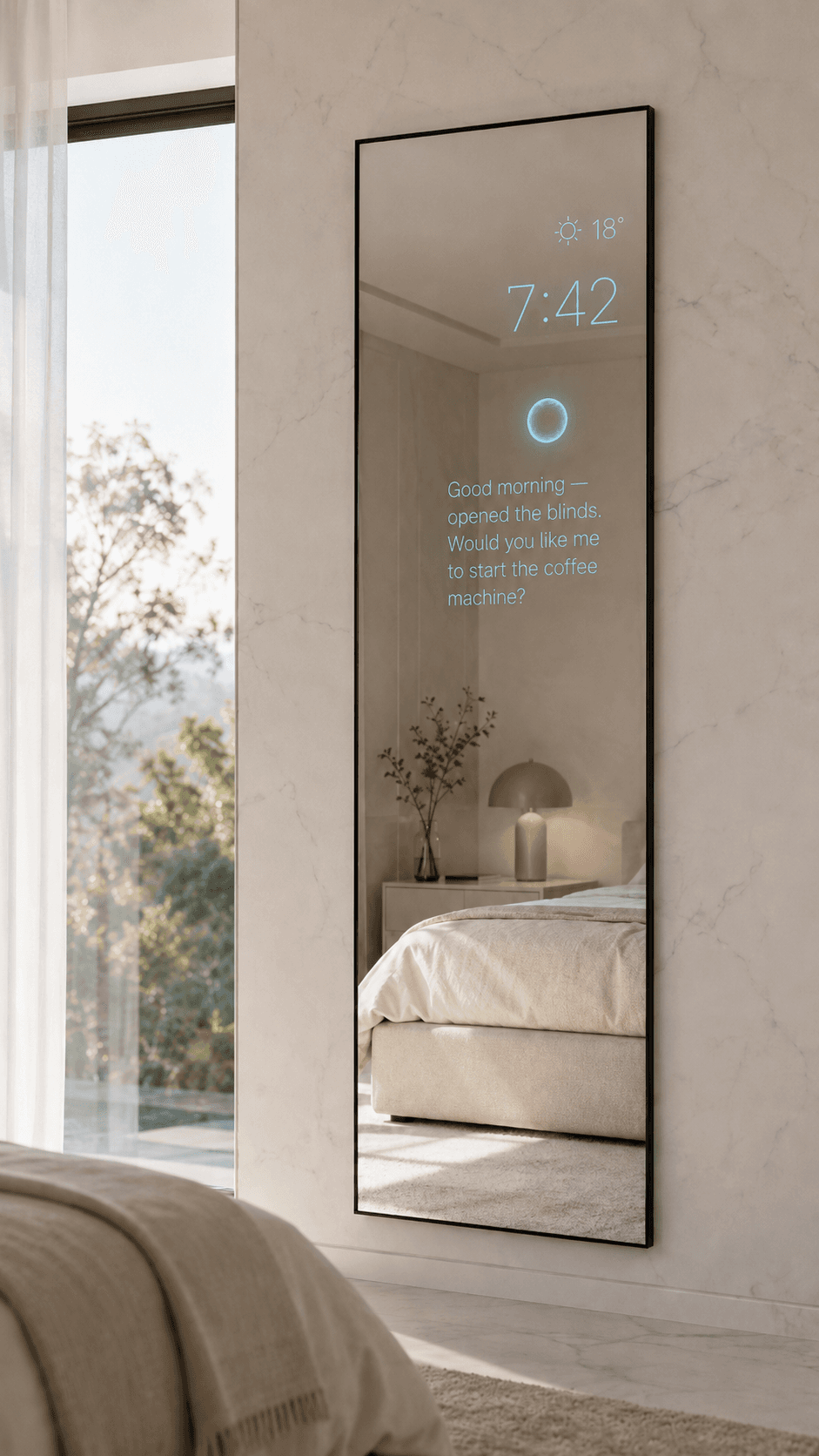
Glass that talks back.
The Smart Mirror is an ambient display in the mirror (calendar, weather, the day's brief) that knows when to speak up and when to fade out.
Learn more →Independence for them.
Peace of mind for you.
Elysium watches over older family members without cameras or wearables — quietly present, never intrusive.

Detects a fall
If someone falls or stops moving, Elysium calls for assistance and alerts the family in seconds — no button to press.
Gentle reminders
Medication, meals, appointments. Elysium remembers so they don't have to, in a calm voice across the home.
Real independence
Lights, doors, music and help — all by voice. Living alone stays possible, and comfortable, for longer.
Quiet reassurance
Loved ones get a simple daily check-in and an alert only when it matters — closeness without hovering.
Built by a small team
in Switzerland.


Want early access?
Elysium is invite-only for now, and we are opening it to a few homes at a time. Leave your email and we will write to you when there is a place for yours.